
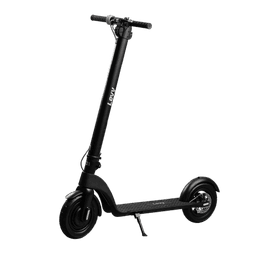





How to Change the Riding Mode on the Hiboy S2R Electric Scooter
Change Hiboy S2R riding modes in seconds: Double-tap power button to switch between Comfort Mode (green, 13 mph) and Sport Mode (red, 19 mph). Complete guide with step-by-step instructions, performance differences, troubleshooting, and safety tips.
The Hiboy S2R electric scooter features two distinct riding modes that dramatically affect performance, speed, battery range, and braking characteristics—Comfort Mode (indicated by green "S" display light, capped at 13 mph) optimizes efficiency and smooth riding for beginners and casual commuters, while Sport Mode (indicated by red "S" display light, uncapped at 19 mph maximum speed) unlocks full motor power for experienced riders seeking maximum acceleration, hill-climbing ability, and top speed. Switching between modes requires a simple double-tap of the power button (located on the left handlebar), taking only 2-3 seconds to complete the transition. Understanding how to change modes properly, recognizing the visual indicators confirming mode selection, knowing when each mode optimizes your riding experience (Comfort for city commuting and range-focused journeys, Sport for performance and challenging terrain), and troubleshooting mode-switching problems ensures you maximize your Hiboy S2R potential. This comprehensive guide covers step-by-step mode switching procedures, detailed performance comparisons between modes, battery range implications, safety considerations for Sport Mode operation, troubleshooting unresponsive mode switching, and expert recommendations for choosing the optimal mode for different riding conditions.
Hiboy S2R Electric Scooter Specifications Overview
Understanding your Hiboy S2R's core specifications provides essential context for riding mode selection and performance optimization:
- Motor: 500W brushless motor (upgraded from earlier S2 models)
- Battery: 36V 8.7Ah removable lithium-ion battery (unique removable design advantage)
- Top Speed: 19 mph maximum (Sport Mode), 13 mph maximum (Comfort Mode)
- Range: Up to 17 miles per charge (varies by mode, weight, terrain, riding style)
- Hill Climbing: 15-20% grade capability (varies by mode and rider weight)
- Weight Capacity: 265 lbs maximum rider weight
- Wheel Size: 8.5-inch pneumatic tires (semi-pneumatic on some models)
- Brakes: Electronic rear brake + mechanical/foot brake combination
- Water Resistance: IP54 rating (splash resistant, not submersible)
- Display: LED indicator light showing mode (green for Comfort, red for Sport)
Understanding Hiboy S2R Riding Modes
The Hiboy S2R offers two primary riding modes, each optimized for different riding scenarios and rider preferences:
Comfort Mode (Green Display Light)
Comfort Mode provides energy-efficient, controlled riding experience optimized for range extension and smooth acceleration:
- Maximum Speed: 13 mph (21 km/h)
- Motor Power Output: Reduced power delivery (~50-60% of maximum motor capacity)
- Acceleration: Moderate and smooth, ideal for learning scooter control
- Battery Efficiency: Maximized—Comfort Mode extends range by 25-40% compared to Sport Mode
- Range Expectation: 13-17 miles on single charge (optimal efficiency)
- Hill Climbing: Moderate grades (8-12% slopes), slower acceleration uphill
- Braking Response: Gentle deceleration, reduced stopping force (requires longer braking distance)
- Throttle Feel: Smooth, predictable power delivery
- Ideal For: City commuting, beginner riders, casual recreational riding, battery range priority, pedestrian-heavy areas
Sport Mode (Red Display Light)
Sport Mode unleashes full motor potential for maximum speed, acceleration, and hill-climbing performance:
- Maximum Speed: 19 mph (30.5 km/h)
- Motor Power Output: Full 500W power delivery (100% capacity)
- Acceleration: Aggressive and immediate—responsive throttle with quick speed buildup
- Battery Efficiency: Reduced efficiency—Sport Mode drains battery 25-40% faster
- Range Expectation: 10-13 miles on single charge (depends on terrain and riding style)
- Hill Climbing: Aggressive hill performance—tackles 15-20% grades with continuous acceleration
- Braking Response: Stronger regenerative braking assist (motor helps slow scooter)
- Throttle Feel: Responsive and dynamic, aggressive power curve
- Ideal For: Experienced riders, high-speed commuting, challenging terrain, hill climbing, performance-focused riding
Step-by-Step Guide: How to Change Riding Mode
Switching between Hiboy S2R modes is simple and straightforward—requires only double-tapping the power button:
Complete Mode Switching Procedure
Follow these steps for proper mode switching:
- Locate the Power Button: Positioned on left handlebar grip, black cylindrical button approximately 1 inch diameter, marked with power symbol icon
- Single-Tap Toggles Lights (Not Mode): Important—single-tapping the power button activates/deactivates front and side LED lights (does NOT change riding mode)
- Double-Tap for Mode Switching: Press the power button twice rapidly (within 1 second of each tap) to change riding mode
- Observe the Display Light: Look at the LED mode indicator light on the display (right side of handlebars):
- Green light = Comfort Mode active (13 mph maximum)
- Red light = Sport Mode active (19 mph maximum)
- Mode Change Confirmation: The display light color changes immediately upon successful mode switch (within 1-2 seconds of double-tap)
- Audio/Haptic Feedback: Some models provide subtle beep sound or vibration feedback confirming mode change (if equipped)
- Scooter Must Be Powered On: Power button must be activated and scooter turned on—cannot change modes when scooter is completely powered off
- Safe to Change While Riding: You CAN change modes while actively riding at any speed—safe to double-tap power button mid-ride (keep one hand on throttle for balance control)
Timing and Responsiveness
- Double-Tap Window: Both taps must occur within 0.5-1.0 seconds for mode switch to register—if taps too slow, scooter interprets as two separate single taps (toggles lights twice instead of changing mode)
- Mode Change Duration: 1-2 seconds after successful double-tap for mode to activate and display light to change color
- Battery Requirement: Battery must have minimum 10% charge to register mode changes—if battery critically low (under 10%), mode switching may not function
- No Delay Between Switching: You can switch modes multiple times in succession—no required waiting period between mode changes
Detailed Performance Comparison: Comfort vs. Sport Mode
Understanding specific performance differences helps you choose optimal mode for each riding scenario:
Speed and Acceleration Differences
Maximum Speed Specifications:
- Comfort Mode: 13 mph maximum (21 km/h) - electronically limited
- Sport Mode: 19 mph maximum (30.5 km/h) - full motor capacity
- Speed Difference: 6 mph (46% faster in Sport Mode)
Acceleration Performance:
- Comfort Mode Acceleration: 0-13 mph in approximately 5-7 seconds (moderate progressive acceleration)
- Sport Mode Acceleration: 0-19 mph in approximately 4-5 seconds (aggressive rapid acceleration)
- Mid-Range Speed Buildup: In Comfort Mode, reaching 10 mph takes ~4 seconds; in Sport Mode, reaching 15 mph takes ~3 seconds (Sport roughly 30% faster acceleration throughout speed range)
- Throttle Responsiveness: Comfort Mode has slight 200-300ms delay between throttle twist and power delivery for smooth feel; Sport Mode nearly instantaneous response (50-100ms delay)
Hill Climbing and Gradient Handling
Comfort Mode Hill Performance:
- Gradual Slopes (5-8%): Maintains constant 12-13 mph speed, smooth acceleration, no power strain
- Moderate Slopes (8-12%): Speed reduces to 8-10 mph mid-climb, requires rider to help with pedal-like motion (scooter design does have footrest but not designed for pedaling), sustained power but progressive slowdown
- Steep Slopes (12-15%): Speed drops to 5-7 mph on sustained climbs, struggles on very steep grades, may lose momentum on prolonged inclines if rider weight at upper end of capacity
- Very Steep (15%+): Often insufficient power to climb from standstill—may require running start at bottom of hill
Sport Mode Hill Performance:
- Gradual Slopes (5-8%): Maintains 18-19 mph speed, powerful consistent acceleration, barely perceptible hill
- Moderate Slopes (8-12%): Maintains 12-15 mph speed, strong sustained power, excellent hill-climbing ability, only slight slowdown
- Steep Slopes (12-15%): Maintains 8-12 mph speed, continues aggressive acceleration, handles sustained climbs with ease, rarely loses momentum
- Very Steep (15%+): Maintains 6-8 mph speed minimum, can climb from standstill with full motor power, excellent gradient capability
- Real-World Performance: With running start at 10+ mph, Sport Mode handles 7% grades maintaining 7-8 mph speed; without running start, accelerates from 0 mph on 7% grade to 8 mph (slow but achievable)
Battery Consumption and Range
Battery Drain Rate Comparison (Based on Continuous Testing):
Comfort Mode Battery Life:
- Theoretical Range: 13-17 miles on single 36V 8.7Ah charge
- Typical Commuting: 14-16 miles (stop-and-go city riding with traffic, accelerations, decelerations)
- Flat Surface Riding: 16-17 miles (continuous cruise at constant 12 mph on smooth pavement)
- Hilly Terrain: 11-13 miles (multiple climbs draining battery significantly)
- Battery Percentage Drain: Approximately 6-8% per mile of riding
Sport Mode Battery Life:
- Theoretical Range: 10-13 miles on single charge
- Typical Commuting: 10-12 miles (frequent acceleration and higher-speed riding)
- Flat Surface Riding: 12-13 miles (continuous cruise at constant 18 mph)
- Hilly Terrain: 8-10 miles (sustained high-power climbing)
- Battery Percentage Drain: Approximately 8-10% per mile of riding
- Speed Impact: Continuous high-speed riding (18+ mph) drains battery up to 40% faster than moderate-speed riding at 10 mph
Range Optimization Strategies:
- Mixed-Mode Riding: Use Comfort Mode on flat sections, switch to Sport Mode only for hills or short high-speed bursts—extends range to 15-18 miles
- Smooth Acceleration: Gradual throttle application in either mode extends range 10-15% vs. aggressive wide-open throttle
- Optimal Weight Distribution: Proper body positioning reduces drag, improves efficiency by 8-12%
- Tire Pressure Management: Properly inflated tires (55-60 psi) reduce rolling resistance; under-inflated tires reduce range by 15-20%
- Removable Battery Advantage: Hiboy S2R's removable battery design allows carrying spare battery for extended journeys (double your total range to 20-34 miles combined)
Braking and Deceleration Differences
Comfort Mode Braking:
- From 13 mph to full stop: Approximately 4-5 seconds braking distance, approximately 20-25 feet on dry pavement
- Regenerative Braking: Slight motor assist in slowing (approximately 15-20% of braking force)
- Brake Engagement: Smooth gradual deceleration, comfortable stopping feel
- Brake Fade: Minimal brake fade even with repeated hard stops (brakes designed conservatively)
Sport Mode Braking:
- From 19 mph to full stop: Approximately 5-6 seconds braking distance, approximately 35-45 feet on dry pavement (significantly longer due to higher speed)
- Regenerative Braking: Stronger motor assist in slowing (approximately 25-30% of braking force from regenerative system)
- Brake Engagement: More aggressive deceleration, firmer stopping feel
- Brake Fade: Minimal fade in normal use, but repeated aggressive braking from high speeds can cause temporary brake performance reduction until cooling
Critical Braking Safety Notes:
- Higher Speed = Longer Braking Distance: Physics of braking: doubling speed requires approximately 4x braking distance. Sport Mode's higher top speed (19 vs. 13 mph, 46% increase) requires approximately 75% longer braking distance
- Wet Conditions Impact: On wet pavement, braking distances DOUBLE in both modes—Comfort Mode wet braking 40-50 feet, Sport Mode wet braking 70-90 feet
- Tire Condition Critical: Worn or damaged tires significantly reduce braking grip in both modes—inspect tires before sport mode riding for safety
- Rider Weight Factor: Heavier riders (200+ lbs) experience 15-20% longer braking distances in both modes
When to Use Each Riding Mode: Scenario Recommendations
Optimal mode selection based on riding situation maximizes safety, efficiency, and enjoyment:
Use Comfort Mode When:
- Commuting in Dense Urban Areas: Comfort Mode's lower top speed (13 mph) matches typical city traffic flow, reduces risk of collision at dangerous speeds, provides better control in congested conditions
- Riding in Pedestrian-Heavy Areas: Lower speed reduces accident severity if collision occurs, better control and reaction time in crowded sidewalk/park scenarios
- Maximizing Battery Range: Comfort Mode extends range 25-40% vs. Sport—choose when distance exceeds 12 miles to single destination
- Learning to Ride: New scooter riders benefit from lower speed, predictable acceleration, shorter braking distances, reduced injury risk if crashing
- Wet/Rainy Conditions: Reduced top speed improves traction control and braking safety on wet surfaces
- Dark Evening Riding: Lower speeds provide better visibility control, easier emergency maneuvering if obstacles appear in darkness
- Uneven or Damaged Pavement: Comfort Mode's smoother acceleration and lower speed better suited for rough surfaces reducing chance of losing control
- Riding with Cargo or Passengers: If scooter can support cargo, lower speed improves stability with additional weight
- Children or Inexperienced Riders: Always use Comfort Mode with young/inexperienced riders for maximum safety
Use Sport Mode When:
- Long Straight-Line Commuting: Sport Mode's 19 mph speed enables faster point-to-point travel, reduces commute time for same distance
- High-Speed Highway/Road Riding: Sport Mode speed better matches traffic flow on open roads (more dangerous to ride 13 mph among cars traveling 30+ mph)
- Hill or Steep Terrain Riding: Sport Mode's powerful acceleration and sustained climbing torque essential for consistent hill ascent without losing momentum
- Experienced Riders Only: Only use Sport Mode if confident in scooter handling, emergency braking, and ability to control aggressive acceleration
- Short-Distance Trips: When traveling under 5 miles, battery range less critical—Sport Mode acceleration/performance makes short trips more enjoyable
- Performance-Focused Recreation: If seeking thrilling ride experience, Sport Mode's aggressive acceleration and top speed provide maximum enjoyment
- Dual-Battery Extended Routes: With removable battery advantage, carrying spare battery allows Sport Mode operation for 20+ miles (switch battery at midpoint)
- Dry Conditions Only: Sport Mode more safely used on dry pavement; avoid in wet/rain when braking distances already critically long
Safety Considerations for Riding Mode Selection
Understanding safety implications of each mode critical for accident prevention:
Sport Mode Safety Considerations
- Increased Stopping Distance: 19 mph top speed requires significantly longer braking distance (35-45 feet from full stop) vs. Comfort Mode (20-25 feet)—leaves less margin for error when avoiding obstacles or pedestrians
- Control Challenge: Aggressive acceleration in Sport Mode easier to lose control than Comfort's smooth power delivery, especially on uneven pavement
- Reaction Time Demands: Higher speeds provide less time to react to hazards (pedestrians, vehicles, obstacles)—at 19 mph you cover 28 feet per second vs. 19 feet per second in Comfort Mode
- Protective Equipment Essential: Sport Mode riding demands full safety equipment—helmet, wrist guards, knee/elbow pads recommended (not just casual riding gear)
- Weather Restrictions: Never use Sport Mode in rain, wet, icy, or reduced-visibility conditions—braking distances already extended to 70-90 feet on wet pavement
- Legal Speed Limits: Verify local scooter speed regulations—some jurisdictions cap legal scooter speeds at 15 mph, making Sport Mode 19 mph illegal. Check municipal codes before riding
Comfort Mode Safety Benefits
- Shorter Braking Distance: 13 mph maximum ensures shorter braking distances (20-25 feet), providing more reaction margin for emergency situations
- Improved Control: Smooth acceleration reduces unintended speedups or loss of control risks, easier to manage for all skill levels
- Legal Compliance: 13 mph falls within legal limits in most jurisdictions (check local regulations—typically 15 mph limit common)
- Pedestrian Safety: Lower impact speed reduces injury severity if collision with pedestrian occurs—critical in busy areas
- Weather Adaptability: Comfort Mode safe in wider range of weather conditions due to shorter braking distances
Troubleshooting: Mode Switching Problems
If experiencing issues changing riding modes, follow these troubleshooting steps:
Problem: Display Light Not Changing Color
Likely Cause 1: Incorrect Double-Tap Timing
- Solution: Ensure both power button taps occur within 0.5-1.0 second interval. Tap too slowly registers as two separate light toggles instead of mode switch. Practice faster double-tap rhythm
- Verification: If light is toggling on/off (taps registering as separate events), reduce interval between taps to 0.3-0.5 seconds
Likely Cause 2: Scooter Powered Off
- Solution: Scooter must be powered on (lights visible) to change modes. Press power button once to turn scooter on completely, then double-tap to switch modes
- Verification: Confirm LED display light is illuminated (green or red) and scooter responds to throttle before attempting mode change
Likely Cause 3: Battery Too Low
- Solution: Battery must have minimum 10% charge for mode switching to function. Charge scooter if battery critically depleted (less than 10%)
- Verification: If mode light flashing or dimmed (vs. steady light), battery critically low—charge immediately
Likely Cause 4: Display Light Malfunction
- Solution: If display light non-responsive despite correct double-tapping, light bulb may be burned out or connection loose. Check light assembly on right handlebar, ensure connector secure
- Verification: Test by checking if single taps toggle light on/off (single-tap operation still functions even if mode-change light broken)
Problem: Speed Not Changing Despite Mode Light Change
Likely Cause 1: Riding Already at Mode Limit
- Solution: If currently traveling at 13 mph in Sport Mode, switching to Comfort Mode won't reduce speed immediately—you must coast to decelerate below 13 mph threshold, then Comfort Mode ceiling applies
- Verification: Decelerate below mode's maximum speed (release throttle, brake slightly), then accelerate again. New mode ceiling should apply
Likely Cause 2: Controller Not Registering Mode Change
- Solution: Power cycle scooter—turn off completely (hold power button 3 seconds), wait 10 seconds, power back on, then attempt mode switch again
- Verification: If mode change succeeds after power cycle, controller reset resolved temporary glitch
Likely Cause 3: Throttle Malfunction
- Solution: If mode changes but throttle unresponsive, throttle may be faulty. Try gentle throttle twists—if no response, throttle requires replacement ($20-$50)
- Verification: Mode change successful (light changes), but twisting throttle produces no speed increase = throttle failure
Problem: Can't Switch Modes at All
Likely Cause: Firmware Issue or Controller Malfunction
- Solution 1: Complete Power Reset—Hold power button for 5 seconds until lights completely shut down, wait 15 seconds, power back on. Attempt mode switch.
- Solution 2: Check Controller Connections—If reset fails, power button connection to controller may be loose. Access right handlebar control panel, visually inspect connections (requires basic technical skill)
- Solution 3: Firmware Update—Visit Hiboy app (if S2R model supports mobile app) to check for controller firmware updates that may resolve mode-switching bugs
- Solution 4: Professional Service—If above steps fail, controller replacement likely needed. Contact Hiboy support or authorized dealer ($100-$150 parts + labor)
Mode-Related Maintenance Tips
Proper maintenance ensures modes function reliably:
- Power Button Care: Keep power button clean and dry—moisture or debris can cause intermittent mode switching failures. Wipe button regularly, avoid water spray directly on button
- Display Light Connections: Periodically check that display light connector secure—vibration from riding can loosen connections. Ensure connector fully seated
- Battery Health Monitoring: Mode switching requires battery above 10% charge. Check battery voltage occasionally to ensure no internal damage affecting voltage regulation
- Brake Maintenance (Sport Mode): If riding Sport Mode regularly, inspect brake pads monthly—higher speeds cause faster brake wear (3-4x faster than Comfort Mode)
- Tire Pressure Checks: Both modes perform better with proper tire pressure (55-60 psi). Check monthly—properly inflated tires improve both efficiency and braking response
- Motor/Controller Cooling: Sport Mode generates more heat in motor and controller. Ensure scooter ventilation not blocked, avoid continuous high-speed operation exceeding 30 minutes without cooling break
Hiboy S2R Mobile App Mode Control (If Applicable)
Some Hiboy S2R models support mobile app integration for enhanced control:
App Features (if supported by your model):
- Remote Mode Switching: Some models allow mode selection via mobile app instead of physical power button
- Real-Time Speed Monitoring: Track current speed, verify mode active (display speed limits changing between 13 mph and 19 mph)
- Battery Status: Monitor percentage charge, remaining range estimate
- Firmware Updates: Receive automatic alerts for firmware updates improving performance or fixing bugs
- Ride Statistics: Track daily/weekly/monthly riding data, distance traveled, calories burned equivalent
Important Note: Physical power button double-tap method always works regardless of app connectivity. App is convenience enhancement, not requirement for mode changing
Expert Recommendations for Optimal Mode Usage
Based on typical riding scenarios and performance data:
Daily Commuting Strategy
- Primary Setting: Comfort Mode
- Reasoning: Most daily urban commutes involve pedestrian areas, traffic, variable terrain. Comfort Mode's 13 mph cap, extended range, and improved safety benefit typical commuters
- Implementation: Default to Comfort Mode; switch to Sport Mode only for 2-3 minute highway/road segments where higher speed matches traffic flow
- Battery Optimization: Using Comfort Mode for 70% of commute and Sport Mode for 30% extends total range to 15-16 miles (vs. 10 miles all Sport or 17 miles all Comfort)
Recreational Riding Strategy
- Primary Setting: Sport Mode (if experienced)
- Reasoning: Pure enjoyment riding benefits from higher speed, responsive acceleration, hill-climbing ability. Recreational routes often avoid dense pedestrian areas
- Implementation: Use Sport Mode for 30-minute recreational rides, switch to Comfort Mode if traveling beyond 8 miles
- Safety Note: Always wear full protective equipment (helmet, wrist guards, knee pads) for Sport Mode recreational riding
Extended Distance Strategy
- Primary Setting: Comfort Mode with Strategic Sport Bursts
- Reasoning: For 12+ mile journeys, efficiency critical. Comfort Mode provides base range, Sport Mode for short bursts when needed
- Implementation: Start in Comfort Mode, use entire trip efficiently. Switch to Sport Mode only for 2-3 minute periods on open road segments. Dual removable batteries extend range to 26+ miles
- Battery Management: Switch battery at 50% charge (8-9 miles in Comfort Mode) to maximize usable capacity from both batteries
Conclusion: Mastering Your Hiboy S2R Riding Modes
The Hiboy S2R's two riding modes provide flexibility matching diverse riding scenarios—Comfort Mode optimizes safety, range, and efficiency for urban commuting and casual riding, while Sport Mode unlocks aggressive performance, faster speed, and excellent hill-climbing for experienced riders and challenging terrain. Mode switching requires simple double-tap of the power button (confirmed by LED indicator light color change from green to red or vice versa), and can be done safely while actively riding. Understanding the 46% speed difference (13 mph vs. 19 mph), 25-40% battery efficiency gap, and dramatically different acceleration/braking characteristics enables informed mode selection for each specific riding situation.
Key takeaways for optimal Hiboy S2R riding:
- Double-tap Power Button: Only method to change modes—ensure timing within 0.5-1.0 second for proper registration
- Green Light = Comfort (13 mph): Efficient, safe, extended range—default for urban commuting, beginners, pedestrian areas
- Red Light = Sport (19 mph): High performance, fast, powerful—experienced riders only, open roads, challenging terrain
- Battery Range Impact: Comfort extends range to 17 miles; Sport reduces to 13 miles—significant difference on longer journeys
- Safety First: Sport Mode demands full protective gear, dry conditions, experienced handling. Never use Sport Mode in pedestrian zones, rain, or reduced visibility
- Removable Battery Advantage: Hiboy S2R's unique removable battery design allows carrying spare for extended range—dual batteries enable 26+ mile journeys with mode flexibility
- Maintenance Matters: Sport Mode causes faster brake wear (3-4x); inspect brakes monthly for safety. Keep power button clean, ensure display light connections secure
- Troubleshooting Guide: Most mode-switching issues solved by correcting double-tap timing, power cycling, or checking battery charge level
Final recommendation: Master both modes through practice—become familiar with Comfort Mode's smooth, efficient characteristics for daily use, while developing Sport Mode skills and safety practices for appropriate occasions. The flexibility of dual modes is precisely what makes the Hiboy S2R an excellent versatile scooter accommodating diverse riding needs, from cautious newcomers to experienced riders seeking performance.