





How to Reset an Electric Scooter: A Comprehensive Guide
Complete guide to resetting electric scooters: soft reset, hard reset, BMS reset, and factory reset procedures. Learn troubleshooting techniques, error code fixes, and brand-specific methods.
Resetting an electric scooter is one of the most effective troubleshooting techniques for resolving a wide range of technical issues, from power problems and connectivity errors to performance glitches and error codes. Whether you're dealing with an unresponsive throttle, error messages on your display, or battery management system issues, understanding the different types of resets and when to use them can save you time, money, and frustration. This comprehensive guide covers everything you need to know about resetting your electric scooter, including soft resets, hard resets, BMS resets, factory resets, and brand-specific procedures.
Understanding Different Types of Resets
Electric scooters employ sophisticated electronic systems that occasionally require resets to restore normal function. Modern e-scooters feature firmware managing power distribution, battery monitoring, display functions, and motor control, which can experience digital hiccups requiring different reset approaches.
Soft Reset (Power Cycle)
What it is: A soft reset, also known as a power cycle, is the simplest form of reset that involves turning the scooter completely off and back on. This clears temporary memory and refreshes system processes without affecting saved settings or data.
When to use it: Use a soft reset for minor issues like temporary display glitches, brief connectivity problems with your phone app, minor throttle responsiveness issues, or when the scooter behaves sluggishly but still functions.
How it works: Simply power off your scooter completely, wait 30-60 seconds, then power it back on. This allows the system to clear temporary data and restart fresh.
Hard Reset (Battery Disconnect)
What it is: A hard reset involves physically disconnecting the battery from the scooter's electrical system, forcing a complete power drain of all circuits. This more thorough reset clears all temporary data and can resolve deeper system issues.
When to use it: Hard resets are effective for persistent error codes that won't clear with a soft reset, throttle or brake calibration issues, controller malfunctions, persistent connectivity problems, or when the scooter won't respond to normal power cycling.
How it works: You disconnect the battery connector, wait 5-10 minutes to allow residual charge to dissipate completely, then reconnect and restart the scooter.
BMS Reset (Battery Management System)
What it is: The Battery Management System is an electronic circuit that monitors and manages your battery's health, including voltage, temperature, charge state, and cell balancing. A BMS reset recalibrates these monitoring systems.
When to use it: Consider a BMS reset when you experience inaccurate battery level readings, sudden power cutoffs at seemingly high charge levels, charging problems or slow charging, reduced range despite full charge indication, or after prolonged storage periods.
How it works: BMS resets typically involve disconnecting the battery for 10-30 minutes, or in some cases performing a full discharge/recharge cycle to recalibrate the battery monitoring systems.
Factory Reset (Software Reset)
What it is: A factory reset restores all software settings to their original manufacturer defaults, erasing custom configurations, paired devices, and user preferences. This is the most comprehensive software-level reset available.
When to use it: Factory resets are appropriate when you're selling or transferring the scooter to someone else, experiencing persistent software bugs that other resets don't fix, need to clear all paired Bluetooth devices and start fresh, or have made settings changes you want to completely undo.
How it works: Factory resets are typically performed through the scooter's companion app, through an on-screen menu (if available), or via specific button combination sequences that vary by manufacturer.
Comprehensive Reset Procedures
Basic Soft Reset Procedure
Step-by-step process:
- Power off completely: Locate the power button (usually on handlebars or deck) and press and hold until the display turns off completely (3-5 seconds)
- Wait period: Wait at least 30-60 seconds before powering back on. This ensures all temporary memory clears
- Power on: Press and hold the power button until the display lights up and initialization completes
- Test functionality: Check if the issue has been resolved by testing throttle, brakes, and display functions
Success rate: Soft resets resolve approximately 30-40% of minor technical issues and should always be your first troubleshooting step.
Hard Reset (Battery Disconnect) Procedure
Safety first: Ensure the scooter is powered off and unplugged from any charger before beginning. Work in a well-lit area with adequate space.
Step-by-step process:
- Turn off the scooter: Power off completely using the power button. Verify the display is completely dark
- Locate battery compartment: Most scooters have the battery compartment under the deck or beneath a removable seat. Consult your manual for exact location
- Remove access panel: Carefully remove screws or fasteners securing the battery compartment cover. Keep all hardware organized
- Disconnect battery connector: Locate the battery connector (usually a multi-pin plug). Gently but firmly pull the connector apart. Never pull on wires—always grip the connector housing
- Wait 5-10 minutes: This critical waiting period allows all residual electrical charge to dissipate completely from capacitors and circuits
- Reconnect battery: Firmly push the battery connector back together until you hear or feel a click, ensuring it's fully seated
- Secure compartment: Replace the access panel and secure all fasteners properly
- Power on and test: Turn the scooter on and verify all systems are functioning normally
Important safety notes:
- Never disconnect the battery while the scooter is powered on or charging
- Check warranty terms—some manufacturers void warranties for unauthorized disassembly
- Take photos before disconnecting to remember proper cable routing
- If you encounter resistance, stop and consult your manual—forcing connections can cause damage
BMS Reset Procedure
Method 1: Battery disconnect (most common):
- Power off completely: Ensure scooter is off and disconnected from charger
- Open battery compartment: Access the battery following the procedure outlined above
- Disconnect for 10-30 minutes: For BMS resets, a longer disconnection period (10-30 minutes) is more effective than the standard 5-10 minutes
- Reconnect and charge: After reconnecting, plug in the charger and allow a full charging cycle to complete
- Full discharge/charge cycle: For best results, use the scooter until battery reaches 20-30%, then charge fully to 100% to recalibrate the BMS
Method 2: Full discharge/recharge cycle:
For persistent BMS issues showing inaccurate battery readings, perform a complete discharge/recharge calibration. Use your scooter normally until it shuts off due to low battery (typically around 5-10% actual charge). Immediately connect to charger and charge uninterrupted to 100%. This helps the BMS recalibrate its understanding of the battery's true capacity.
When to reset BMS: BMS resets are particularly important after extended storage (more than 30 days without use), when battery percentage jumps erratically during use, if the scooter cuts power unexpectedly at seemingly high charge levels, or after exposure to extreme temperatures.
Factory Reset Methods
App-Based Factory Reset
Applies to: Most modern smart scooters including Segway-Ninebot, Xiaomi, Kugoo, Levy, and other app-connected models.
Procedure:
- Open companion app: Launch your scooter's official smartphone app and ensure Bluetooth connection to the scooter
- Navigate to settings: Find the Settings, Advanced Settings, or System menu within the app
- Locate reset option: Look for options labeled "Factory Settings," "Factory Reset," "Restore Defaults," or similar
- Confirm action: The app will typically ask you to confirm the reset. Be aware this will erase all custom settings and paired devices
- Wait for completion: The reset process may take 30-60 seconds. Keep the app open and scooter powered on throughout
- Reconfigure settings: After reset, you'll need to reconfigure any custom settings like speed limits, acceleration curves, or lighting preferences
Button Sequence Factory Reset
General procedure: Many scooters support factory reset via specific button combinations. The exact sequence varies by manufacturer but typically involves holding multiple controls simultaneously.
Common button combinations:
- Xiaomi M365/Pro series: With scooter off, press and hold power button + throttle + brake lever simultaneously for 3-5 seconds until display shows reset confirmation
- Segway-Ninebot series: Hold throttle and brake lever down fully, turn scooter off while holding, release controls, then power on by holding power button for 3 seconds
- Generic method: Power off, then press and hold power + throttle + brake simultaneously for 5-10 seconds, looking for beeps or display indicators
Note: Always consult your specific manufacturer's manual for exact procedures, as incorrect sequences may trigger other functions or error modes.
Display Menu Factory Reset
For scooters with LCD displays: High-end scooters with advanced LCD displays often include factory reset options directly in the on-screen menu system.
Typical navigation:
- Power on the scooter and access the display menu (usually by holding power button or pressing menu button)
- Navigate using throttle/brake or dedicated menu buttons to find Settings or System
- Look for "Factory Reset," "Restore Defaults," or similar option
- Confirm the reset when prompted
- The display will restart and show default settings
Brand-Specific Reset Instructions
Xiaomi M365/Pro Series
Soft reset: Power off by holding power button for 3 seconds, wait 30 seconds, power back on.
Hard reset: Power off completely. Simultaneously press and hold the power button, throttle, and brake lever for 3-5 seconds until the scooter beeps or displays a confirmation. Release all controls.
App reset: Open Mi Home app, connect to scooter, navigate to Settings → More Settings → Restore Factory Settings.
Common issues resolved: Error codes 10-40, throttle calibration issues, Bluetooth connectivity problems, speed limit locks.
Segway-Ninebot Series (ES1, ES2, ES4, Max G30)
Soft reset: Power off, wait 1 minute, power back on.
Hard reset procedure: Hold throttle and brake lever all the way down and keep them pressed. Turn the scooter off while holding both controls. Release the throttle and brake levers. Power the scooter on by pressing and holding the power button for 3 seconds.
App reset: Segway-Ninebot app → Settings → Advanced Settings → Factory Reset.
Common issues resolved: Speed restriction errors, motor not engaging, display errors, battery percentage inaccuracies.
Razor E-Series (E100, E200, E300)
Reset button location: Razor scooters typically have a physical reset button/circuit breaker on the battery compartment or controller housing.
Reset procedure: Locate the reset button (small red or black button, sometimes recessed). Press the button firmly—it may click or pop. Wait 10 seconds, then attempt to power on the scooter.
Battery disconnect reset: For more thorough resets, disconnect the battery connector inside the deck compartment, wait 5 minutes, reconnect.
Common issues resolved: Scooter won't turn on, intermittent power, motor stops working during ride.
Gotrax Models (GXL V2, XR Ultra, G4)
Soft reset: Power off for 30 seconds minimum, then power back on.
Hard reset: Open deck compartment, disconnect battery connector, wait 10 minutes, reconnect. Ensure connector clicks securely.
Controller reset: For persistent issues, disconnect both the battery and controller connectors, wait 10 minutes, reconnect both starting with battery first.
Common issues resolved: E-codes (E1-E8), throttle unresponsive, battery not charging, speed fluctuations.
Hover-1 Series
Basic reset: Press and hold power button for 10 seconds until unit powers off completely, wait 30 seconds, power back on.
Battery reset: Remove deck panel, disconnect white battery connector, wait 5-10 minutes, reconnect ensuring proper seating.
Common issues resolved: Won't power on, flashing lights, beeping errors, throttle not working.
Hiboy Models (S2, S2 Pro, MAX)
Soft reset: Hold power button for 5 seconds to power off completely, wait 1 minute, power on.
Hard reset via app: Hiboy app → Settings icon → System Settings → Factory Data Reset → Confirm.
Manual hard reset: Disconnect battery under deck, wait 15 minutes, reconnect. This is particularly effective for resolving communication errors between controller and display.
Common issues resolved: Display not working, error codes, battery percentage wrong, reduced speed mode stuck.
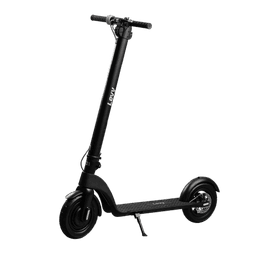
Levy Electric Scooters
Soft reset: Power off completely, wait 30 seconds, power back on.
Battery reset advantage: Levy scooters feature removable swappable batteries, making resets exceptionally easy. Simply remove the battery, wait 5 minutes, reinsert the battery ensuring it clicks securely into place.
Controller reset: For more comprehensive resets, access the controller compartment and disconnect the battery cable from the controller side, wait 10 minutes, reconnect.
Common issues resolved: Battery not recognized, power fluctuations, throttle responsiveness, swappable battery communication errors.
Troubleshooting Specific Issues with Resets
Error Code Resolution
Understanding error codes: Most modern electric scooters display error codes when problems occur. Common codes include E1 (throttle issue), E2 (brake issue), E3 (motor issue), E4 (controller communication), E5 (battery issue), and E6-E8 (various sensor or system errors).
Reset approach for error codes:
- Note the error code: Write down or photograph the exact error code displayed
- Perform soft reset: Power cycle the scooter completely
- Check if code persists: If error returns immediately, proceed to hard reset
- Hard reset: Disconnect battery for 10 minutes to clear controller memory
- Test after reconnection: If error still appears, the issue may be hardware-related rather than software
When resets don't work: If an error code persists after multiple reset attempts, it typically indicates an actual hardware failure that requires physical repair or component replacement rather than a software glitch.
Throttle and Brake Calibration Issues
Symptoms: Throttle doesn't respond smoothly, requires excessive pressure, or has dead zones. Regenerative braking too aggressive or not working. Scooter won't move despite throttle input.
Reset solution: A hard reset often recalibrates throttle and brake sensors. After performing a battery disconnect reset, the throttle and brake typically recalibrate automatically during the first power-on sequence. Apply the brake fully, then release. Apply throttle fully, then release. This helps the controller relearn the sensor ranges.
Manual calibration: Some scooters support manual throttle calibration through P-settings (parameter settings) accessible via the display or app. Consult your manual for specific P-setting codes that control throttle response curves.
Bluetooth and App Connectivity Issues
Symptoms: App won't connect to scooter, frequent disconnections, firmware update failures, unable to pair Bluetooth.
Reset solution: Factory reset through the app (if accessible) erases all Bluetooth pairings and forces re-pairing from scratch. If app is inaccessible, perform a hard reset via battery disconnect, then in your phone's Bluetooth settings, "forget" the scooter device before attempting to pair again.
Additional steps: Ensure Bluetooth permissions are enabled for the app, phone is within 30 feet of scooter with minimal obstacles, scooter battery is above 20% (some scooters disable Bluetooth when low on battery), and you're using the latest version of the companion app.
Battery and Charging Problems
Symptoms: Battery not charging, charger light stays green even when scooter shows low battery, charging extremely slow, battery percentage drops rapidly during use.
BMS reset solution: These symptoms often indicate BMS calibration issues rather than actual battery failure. Perform a comprehensive BMS reset by disconnecting battery for 20-30 minutes, reconnecting, then performing a full charge cycle from low (20-30%) to 100% without interruption.
Additional troubleshooting: Check charger connections for debris or damage, verify charger output with a multimeter if available (should match rated voltage), try charging in a temperature-controlled environment (50-77°F or 10-25°C is optimal), and ensure charging port on scooter is clean and dry.
Display Not Working or Showing Incorrect Information
Symptoms: Display blank, partially lit, showing wrong speed or battery level, flickering, unresponsive to inputs.
Reset solution: Hard reset via battery disconnect often resolves display communication issues. The display controller typically resyncs with the main controller during power-on. Check display cable connections inside the stem or handlebar area—loose connections can cause display issues.
P-settings reset: Incorrect P-settings (parameter configurations) can cause displays to show wrong information. If accessible, reset all P-settings to default values through the display menu or app.
Advanced Troubleshooting and Reset Considerations
When Resets Don't Work
Hardware vs. software issues: It's important to understand that resets only fix software and calibration problems. They cannot repair physical damage to components. If multiple reset attempts don't resolve your issue, you're likely dealing with hardware failure.
Common hardware issues requiring repair:
- Motor failure: Grinding noises, complete lack of movement, intermittent engagement
- Controller damage: Burning smell, visible damage to circuit boards, scooter completely dead
- Battery cell failure: Bulging battery, extremely short range (less than 50% of normal), won't hold charge
- Wiring damage: Visible frayed or broken wires, loose connections that can't be secured
- Sensor failure: Persistent error codes after resets, erratic behavior unaffected by resets
Next steps: If resets don't resolve your issue after 2-3 attempts, contact manufacturer support or a qualified electric scooter repair technician. Continuing to attempt resets beyond this point is unlikely to help.
Warranty Considerations
What's safe: Soft resets (power cycling) never void warranties. App-based factory resets are also safe as they're provided by the manufacturer.
What's risky: Opening the battery compartment and disconnecting the battery may void some warranties if the manufacturer considers it "unauthorized disassembly." Always check your warranty terms before performing physical disassembly.
Best practice: If your scooter is under warranty and experiencing issues, contact manufacturer support first. They can often guide you through reset procedures that won't void warranty coverage, or authorize warranty service if needed.
Important Safety Precautions
Battery safety:
- Never attempt resets with battery below 20%—interrupting firmware processes can cause corruption
- Don't disconnect battery while scooter is powered on or connected to charger
- If you smell unusual odors (burning, chemical) during reset, stop immediately and seek professional help
- Never force connectors—they should connect and disconnect with firm but reasonable pressure
- Watch for signs of battery damage: bulging, swelling, discoloration, unusual heat
Electrical safety:
- Work in a dry environment—never attempt resets in wet conditions
- Don't touch circuit boards with bare hands if possible—use insulated tools or gloves
- Keep metal objects away from battery terminals to prevent shorts
- If you encounter unexpected sparking or heat, disconnect immediately
Documentation:
- Take photos before disassembly to remember cable routing and connector positions
- Keep track of all screws and fasteners—use a magnetic tray or labeled containers
- Note any unusual observations (smells, sounds, damage) to report to support if needed
Preventive Maintenance to Reduce Reset Needs
Regular software updates: Keep your scooter's firmware updated through the companion app. Manufacturers regularly release updates that fix bugs and improve system stability, reducing the need for resets.
Proper charging habits: Follow the 20-80% rule for daily charging (charge when battery drops to 20%, stop charging at 80% for daily use). For storage, maintain 40-50% charge level. Proper charging reduces BMS stress and calibration drift.
Regular use: Scooters that sit unused for extended periods (more than 30 days) often develop BMS calibration issues. If storing long-term, perform a full charge cycle once per month to keep the BMS calibrated.
Connection maintenance: Periodically check that all connectors inside the scooter are firmly seated. Vibration from riding can gradually loosen connections over time, leading to intermittent issues that might require resets.
Clean and dry storage: Store your scooter in a climate-controlled environment when possible. Extreme temperatures (below 32°F/0°C or above 95°F/35°C) and high humidity can stress electronic components and batteries.
Understanding P-Settings and Advanced Configuration
What are P-settings: P-settings (parameter settings) are advanced configuration options accessible through LCD displays or companion apps on many electric scooters. These settings control motor behavior, display preferences, and system parameters.
Common P-settings include:
- P0-P3: Speed modes and acceleration curves
- P4-P6: Wheel diameter and speed calculation
- P7-P9: Battery voltage parameters and cutoff levels
- P10-P12: Display brightness, auto-sleep timer, backlight duration
- P13-P15: Cruise control enable/disable, zero-start vs kick-start, regenerative braking strength
Resetting P-settings: Incorrect P-setting values can cause various issues including wrong speed readings, improper battery percentage display, or erratic motor behavior. Most scooters allow resetting all P-settings to factory defaults through a specific menu option or button sequence.
Accessing P-settings: Methods vary by brand, but common access methods include pressing and holding the power button while simultaneously holding the throttle, navigating through display menus to find "Settings" or "P-Settings," or accessing through the companion app's advanced settings section.
Reset Decision Guide
Follow this decision tree to choose the right reset approach:
Minor Issue (display glitch, slight lag, one-time error):
- Start with soft reset (power cycle)
- Wait 60 seconds between power off and on
- If resolved, no further action needed
- If not resolved, proceed to hard reset
Moderate Issue (error codes, throttle problems, connectivity issues):
- Start with soft reset first (always rule out simple fixes)
- If unresolved, perform hard reset (battery disconnect for 10 minutes)
- Check connections while compartment is open
- If still unresolved, try BMS reset or factory reset depending on issue type
Battery-Related Issue (inaccurate readings, charging problems, unexpected shutoffs):
- Start with BMS reset (disconnect 20-30 minutes)
- Follow with full charge cycle
- Perform full discharge/recharge calibration if needed
- If unresolved, battery may require professional diagnostics
Software/Settings Issue (pairing problems, wrong configurations, stuck in mode):
- Try factory reset through app first (non-invasive)
- If app inaccessible, use button sequence factory reset
- Reconfigure all settings after reset
- Update firmware to latest version
Post-Reset Verification and Testing
Immediate Post-Reset Checks
After performing any reset, verify the following:
- Power on sequence: Scooter powers on normally with standard startup display/sounds
- Display function: All display elements appear (speed, battery, mode indicators)
- Throttle response: Throttle engages smoothly without dead zones or sticking
- Brake function: Brakes engage properly, regenerative braking works if equipped
- Battery reading: Battery percentage displays and seems accurate to expected charge level
- Error codes: No error codes appear on display
- Unusual sounds: No beeping, grinding, or other abnormal sounds
Test Ride Protocol
Before taking a full ride, perform this test sequence:
- Stationary test: With scooter on kickstand or lifted, briefly engage throttle to verify motor spins smoothly
- Short ride test: Take a 50-100 foot test ride at low speed in a safe area
- Full stop test: Test both mechanical and electronic braking at low speed
- Acceleration test: Verify smooth acceleration from stop through full speed range
- Extended test: If all checks pass, take a 5-10 minute ride monitoring for any irregularities
What to monitor during test ride: Pay attention to unusual vibrations, unexpected power cutoffs, error codes appearing, battery percentage dropping unusually fast, throttle or brake behavior changes, and unusual sounds from motor or controller area.
Reconfiguration Checklist (After Factory Reset)
If you performed a factory reset, you'll need to reconfigure:
- Speed mode: Set your preferred speed limit or mode (eco, normal, sport)
- Acceleration: Adjust acceleration curve if your scooter allows customization
- Lights: Configure headlight, taillight, and underglow settings if applicable
- Cruise control: Enable or disable cruise control based on preference
- Bluetooth pairing: Re-pair your smartphone with the scooter
- Units: Set preferred units (mph vs km/h, miles vs km)
- Auto-sleep: Configure auto-shutoff timer
- Regenerative braking: Adjust regenerative braking strength if customizable
When to Seek Professional Help
You should contact a professional repair technician or manufacturer support if:
- You've attempted appropriate resets 2-3 times without resolution
- You see visible physical damage to components (burned areas, melted plastic, broken parts)
- You smell burning or unusual chemical odors during or after reset attempts
- Error codes persist after all reset attempts
- Battery shows signs of swelling, bulging, or damage
- You're uncomfortable performing physical disassembly
- Your scooter is under warranty and you don't want to risk voiding it
- The scooter exhibits dangerous behavior (sudden acceleration, brake failure, catching fire)
Finding qualified repair services: Look for authorized service centers through your manufacturer's website, check reviews for local electric scooter repair shops, consider mobile repair services that come to your location, or consult online communities for recommendations in your area.
What to provide repair services: Document the issue with photos and videos if possible, note all error codes that appear, list all troubleshooting steps you've already attempted, provide purchase date and warranty information, and mention any recent incidents (crashes, water exposure, unusual use).
Conclusion
Resetting an electric scooter is an essential troubleshooting skill that can resolve the majority of common technical issues without requiring professional repair. Understanding the different types of resets—soft reset, hard reset, BMS reset, and factory reset—and when to apply each one empowers you to maintain your scooter's optimal performance and quickly address problems as they arise.
Key takeaways for effective electric scooter resets:
- Start simple: Always begin with a soft reset (power cycle) before moving to more involved procedures—this resolves 30-40% of issues
- Safety first: Never disconnect the battery while powered on or charging, and always check warranty terms before disassembly
- Battery disconnection: Hard resets via battery disconnect (5-10 minutes) effectively clear controller memory and resolve persistent issues
- BMS calibration: Battery management system resets (20-30 minute disconnect + full charge cycle) fix charging problems and inaccurate battery readings
- Factory resets: App-based or button sequence factory resets clear software issues, pairing problems, and incorrect settings
- Brand-specific procedures: Consult manufacturer guidelines for exact reset sequences—Xiaomi, Segway, Razor, Gotrax, and other brands have specific methods
- Error codes: Note exact error codes and attempt soft then hard reset—persistent codes indicate hardware issues requiring professional repair
- Know limitations: Resets fix software and calibration issues but cannot repair physical hardware damage—know when to seek professional help
- Preventive maintenance: Regular firmware updates, proper charging habits (20-80% daily, 40-50% storage), and monthly charge cycles for stored scooters reduce reset needs
- Test thoroughly: After any reset, verify power-on, display, throttle, brakes, and battery reading before taking an extended ride
- Document everything: Take photos before disassembly, note observations, and track what you've tried for reference or support communication
Modern electric scooters are sophisticated devices with complex electronic systems that occasionally require resets to clear temporary glitches, recalibrate sensors, or restore default configurations. By following the comprehensive procedures outlined in this guide, you can confidently troubleshoot most scooter issues independently, saving time and money while keeping your scooter running smoothly.
Remember that resets are diagnostic and maintenance tools, not permanent fixes for underlying hardware problems. If an issue persists after appropriate reset attempts, the problem likely requires component repair or replacement by a qualified technician. When in doubt, consult your manufacturer's support team—they can provide model-specific guidance and determine whether your issue is covered under warranty.
Whether you're dealing with a simple display glitch requiring a quick power cycle, a stubborn error code needing a hard reset, battery calibration issues requiring BMS reset, or configuration problems requiring a factory reset, understanding the right approach for your specific situation will help you maintain your electric scooter's reliability and performance for years to come.